
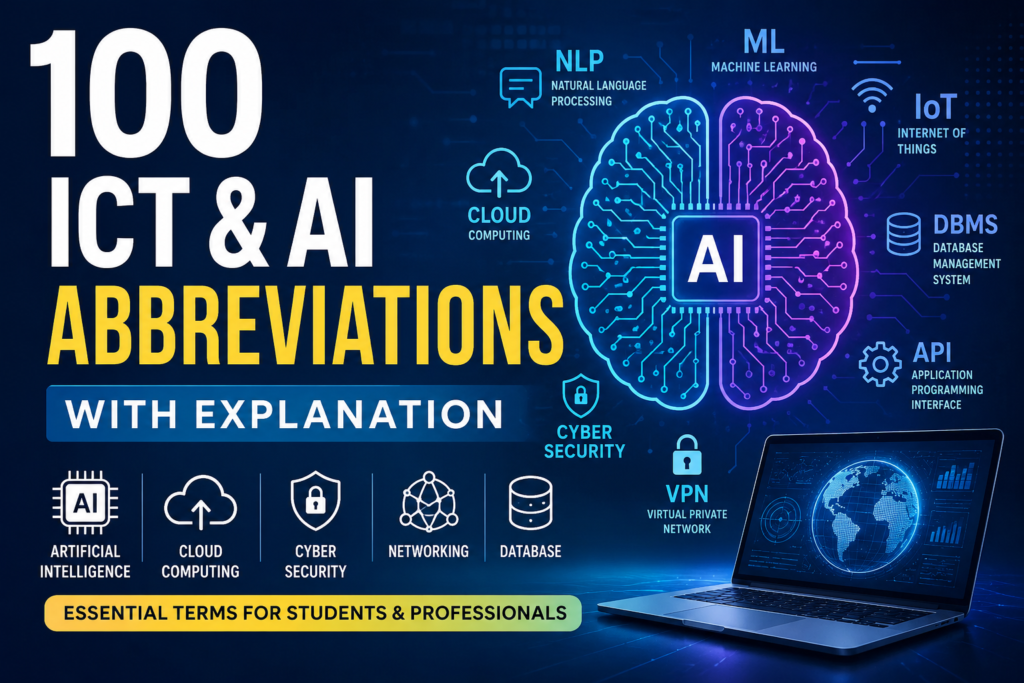
100 ICT Abbreviations a Every Student Should Know
100 ICT Abbreviations-The worlds of Information and Communication Technology (ICT) and Artificial Intelligence (AI) are growing rapidly. Whether you are a student, software developer, digital marketer, data analyst, cybersecurity enthusiast, or AI learner, understanding common 100 ICT and AI abbreviations is essential.
From machine learning and cloud computing to networking and cybersecurity, abbreviations are used everywhere in the technology industry. Knowing these terms helps you understand technical conversations, improve communication skills, prepare for interviews, and stay updated with modern technology trends.
In this complete guide, you will learn 100 important ICT and AI abbreviations with simple explanations.
Why Learning 100 ICT & AI Abbreviations Is Important
Understanding technical abbreviations helps you:
- Improve technical vocabulary
- Understand AI and computer science concepts faster
- Prepare for exams and certifications
- Communicate professionally in the tech industry
- Stay updated with digital transformation trends
- Learn programming and networking concepts easily
Whether you are a beginner or an advanced learner, this list will strengthen your technology knowledge.
1. AI – Artificial Intelligence
AI refers to machines or software that can simulate human intelligence such as learning, reasoning, and decision-making.
Example:
Chatbots, recommendation systems, and virtual assistants use AI.
2. ML – Machine Learning
Machine Learning is a branch of AI where systems learn from data without being explicitly programmed.
Example:
Netflix movie recommendations.
3. DL – Deep Learning
Deep Learning uses neural networks with multiple layers to process complex data.
Example:
Image recognition systems.
4. NLP – Natural Language Processing
NLP allows computers to understand and process human language.
Example:
Voice assistants and translation tools.
5. CV – Computer Vision
Computer Vision enables machines to interpret visual information from images and videos.
Example:
Face recognition systems.
6. ANN – Artificial Neural Network
ANN is a computing model inspired by the human brain.
Example:
Pattern recognition applications.
7. CNN – Convolutional Neural Network
CNN is a type of deep learning model mainly used for image processing.
Example:
Medical image analysis.
8. RNN – Recurrent Neural Network
RNN is used for sequential data analysis such as speech and text processing.
Example:
Language translation systems.
9. GAN – Generative Adversarial Network
GANs generate realistic images, videos, or audio using two competing neural networks.
Example:
AI-generated art.
10. LLM – Large Language Model
LLMs are AI systems trained on massive datasets to understand and generate text.
Example:
AI chatbots and writing assistants.
11. API – Application Programming Interface
An API allows different software applications to communicate with each other.
Example:
Payment gateway integrations.
12. GUI – Graphical User Interface
GUI allows users to interact with software using visual elements like buttons and icons.
Example:
Windows operating system.
13. UI – User Interface
UI refers to the design and layout users interact with in applications.
Example:
Mobile app screens.
14. UX – User Experience
UX focuses on improving user satisfaction and usability.
Example:
Easy website navigation.
15. OS – Operating System
An OS manages hardware and software resources.
Example:
Windows, Linux, Android.
16. CPU – Central Processing Unit
The CPU is the main processor of a computer.
Example:
Intel and AMD processors.
17. GPU – Graphics Processing Unit
GPU handles graphics rendering and AI computations.
Example:
Gaming and AI model training.
18. RAM – Random Access Memory
RAM stores temporary data for active tasks.
Example:
Multitasking performance.
19. ROM – Read Only Memory
ROM permanently stores essential system instructions.
Example:
Boot firmware.
20. SSD – Solid State Drive
SSD is a fast storage device with no moving parts.
Example:
Laptop storage upgrades.
21. HDD – Hard Disk Drive
HDD is a traditional storage device using spinning disks.
Example:
Desktop storage systems.
22. USB – Universal Serial Bus
USB is used for connecting peripherals and transferring data.
Example:
Flash drives.
23. URL – Uniform Resource Locator
A URL is the address of a webpage.
Example:
Website links.
24. HTTP – HyperText Transfer Protocol
HTTP enables communication between web browsers and servers.
Example:
Browsing websites.
25. HTTPS – HyperText Transfer Protocol Secure
HTTPS provides secure encrypted communication online.
Example:
Secure banking websites.
26. IP – Internet Protocol
IP identifies devices connected to a network.
Example:
IP addresses.
27. DNS – Domain Name System
DNS converts domain names into IP addresses.
Example:
Opening websites using names instead of numbers.
28. LAN – Local Area Network
LAN connects devices within a limited area.
Example:
Office networks.
29. WAN – Wide Area Network
WAN connects networks across large geographical areas.
Example:
The internet.
30. WLAN – Wireless Local Area Network
WLAN is a wireless version of LAN.
Example:
Wi-Fi networks.
31. VPN – Virtual Private Network
VPN creates secure internet connections.
Example:
Private browsing.
32. ISP – Internet Service Provider
An ISP provides internet access services.
Example:
Broadband companies.
33. IoT – Internet of Things
IoT refers to connected smart devices communicating online.
Example:
Smart home systems.
34. ICT – Information and Communication Technology
ICT includes digital technologies used for communication and information management.
Example:
Computers and telecommunications.
35. SaaS – Software as a Service
SaaS delivers software through the internet.
Example:
Google Workspace.
36. PaaS – Platform as a Service
PaaS provides development platforms online.
Example:
Cloud development tools.
37. IaaS – Infrastructure as a Service
IaaS offers cloud-based computing infrastructure.
Example:
Virtual servers.
38. DBMS – Database Management System
DBMS manages databases efficiently.
Example:
MySQL and Oracle.
39. SQL – Structured Query Language
SQL is used to manage and query databases.
Example:
Retrieving records from tables.
40. NoSQL – Not Only SQL
NoSQL databases handle unstructured data.
Example:
MongoDB.
https://witcritic.com/index.php/important-ict-abbreviations-in-ugc-net/#google_vignette
https://en.wikipedia.org/wiki/List_of_computing_and_IT_abbreviations
41. HTML – HyperText Markup Language
HTML structures web pages.
Example:
Website layouts.
42. CSS – Cascading Style Sheets
CSS styles web pages visually.
Example:
Colors and fonts on websites.
43. JS – JavaScript
JavaScript adds interactivity to websites.
Example:
Interactive forms.
44. IDE – Integrated Development Environment
IDE is software for coding and development.
Example:
Visual Studio Code.
45. OOP – Object-Oriented Programming
OOP organizes programs using objects and classes.
Example:
Java programming.
46. SDK – Software Development Kit
SDK provides tools for building applications.
Example:
Android SDK.
47. CLI – Command Line Interface
CLI allows users to interact through text commands.
Example:
Terminal commands.
48. FTP – File Transfer Protocol
FTP transfers files over networks.
Example:
Website uploads.
49. SSH – Secure Shell
SSH securely accesses remote computers.
Example:
Server management.
50. TCP – Transmission Control Protocol
TCP ensures reliable data transmission.
Example:
Internet communication.
51. UDP – User Datagram Protocol
UDP provides faster but less reliable communication.
Example:
Online gaming.
52. BIOS – Basic Input Output System
BIOS initializes hardware during startup.
53. PDF – Portable Document Format
PDF preserves document formatting.
54. OCR – Optical Character Recognition
OCR converts printed text into digital text.
55. QR – Quick Response
QR codes store scannable information.
56. ERP – Enterprise Resource Planning
ERP integrates business operations.
https://doctorjeno.com/english-grammar-in-30-days/
57. CRM – Customer Relationship Management
CRM manages customer interactions.
58. CMS – Content Management System
CMS helps create and manage websites.
59. SEO – Search Engine Optimization
SEO improves website visibility on search engines.
60. SEM – Search Engine Marketing
SEM promotes websites through paid advertising.
61. KPI – Key Performance Indicator
KPI measures business performance.
62. ROI – Return on Investment
ROI measures profitability.
63. B2B – Business to Business
B2B refers to transactions between businesses.
64. B2C – Business to Consumer
B2C refers to businesses selling directly to consumers.
65. CDN – Content Delivery Network
CDN speeds up content delivery globally.
66. RFID – Radio Frequency Identification
RFID uses radio waves for tracking objects.
67. GPS – Global Positioning System
GPS provides location tracking.
68. AR – Augmented Reality
AR overlays digital content onto real environments.
69. VR – Virtual Reality
VR creates immersive digital experiences.
70. MR – Mixed Reality
MR combines physical and virtual worlds.
71. Big Data – Large and Complex Data Sets
Big Data refers to extremely large datasets requiring advanced processing.
72. ETL – Extract, Transform, Load
ETL processes data for analytics.
73. BI – Business Intelligence
BI analyzes data for business decisions.
74. DDoS – Distributed Denial of Service
DDoS attacks overwhelm systems with traffic.
75. MFA – Multi-Factor Authentication
MFA improves security using multiple verification methods.
76. OTP – One-Time Password
OTP is a temporary verification code.
77. AES – Advanced Encryption Standard
AES is a secure encryption method.
78. RSA – Rivest–Shamir–Adleman
RSA is a public-key encryption algorithm.
79. SIEM – Security Information and Event Management
SIEM monitors cybersecurity events.
80. SOC – Security Operations Center
SOC handles cybersecurity monitoring and response.
81. DevOps – Development and Operations
DevOps combines software development and IT operations.
82. CI/CD – Continuous Integration and Continuous Deployment
CI/CD automates software delivery processes.
83. VM – Virtual Machine
VM simulates a computer system virtually.
84. Docker – Containerization Platform
Docker packages applications into containers.
85. Kubernetes – Container Orchestration System
Kubernetes manages containerized applications.
86. Edge AI – Artificial Intelligence at the Edge
Edge AI processes AI tasks on local devices.
87. AGI – Artificial General Intelligence
AGI refers to human-level AI intelligence.
88. ASR – Automatic Speech Recognition
ASR converts speech into text.
89. TTS – Text-to-Speech
TTS converts written text into spoken audio.
90. RL – Reinforcement Learning
RL trains AI using rewards and penalties.
91. AIoT – Artificial Intelligence of Things
AIoT combines AI with IoT devices.
92. HPC – High-Performance Computing
HPC solves complex computational problems quickly.
93. SaaP – Security as a Practice
SaaP focuses on integrating security into workflows.
94. Edge Computing – Local Data Processing
Edge Computing processes data near the source device.
95. Blockchain – Decentralized Digital Ledger
Blockchain securely records transactions.
96. NFT – Non-Fungible Token
NFT represents unique digital ownership.
97. DAO – Decentralized Autonomous Organization
DAO operates through blockchain-based rules.
98. FinTech – Financial Technology
FinTech uses technology to improve financial services.
99. EdTech – Educational Technology
EdTech improves learning through technology.
100. HealthTech – Healthcare Technology
HealthTech applies technology in healthcare systems.
Final Thoughts
ICT and AI abbreviations are essential for understanding modern technology, digital communication, cybersecurity, cloud computing, programming, and artificial intelligence.
As technology continues to evolve, learning these abbreviations will help you:
- improve technical communication,
- stay updated with industry trends,
- prepare for interviews and exams,
- understand AI and ICT concepts more easily.
The best way to remember these abbreviations is through regular exposure and practical usage. Keep revising them, use them in conversations, and connect them with real-world examples.
Technology is shaping the future — and understanding its language is the first step toward becoming digitally skilled.